Personal privacy is no longer just about keeping passwords secure.
In 2026, individuals face growing risks from data breaches, AI-driven phishing attacks, invasive tracking technologies, and the widespread collection of personal information by apps and online services.
The good news is that protecting your privacy doesn’t require advanced technical skills. A few proactive habits can significantly reduce your exposure to cyber threats and unauthorized data collection.
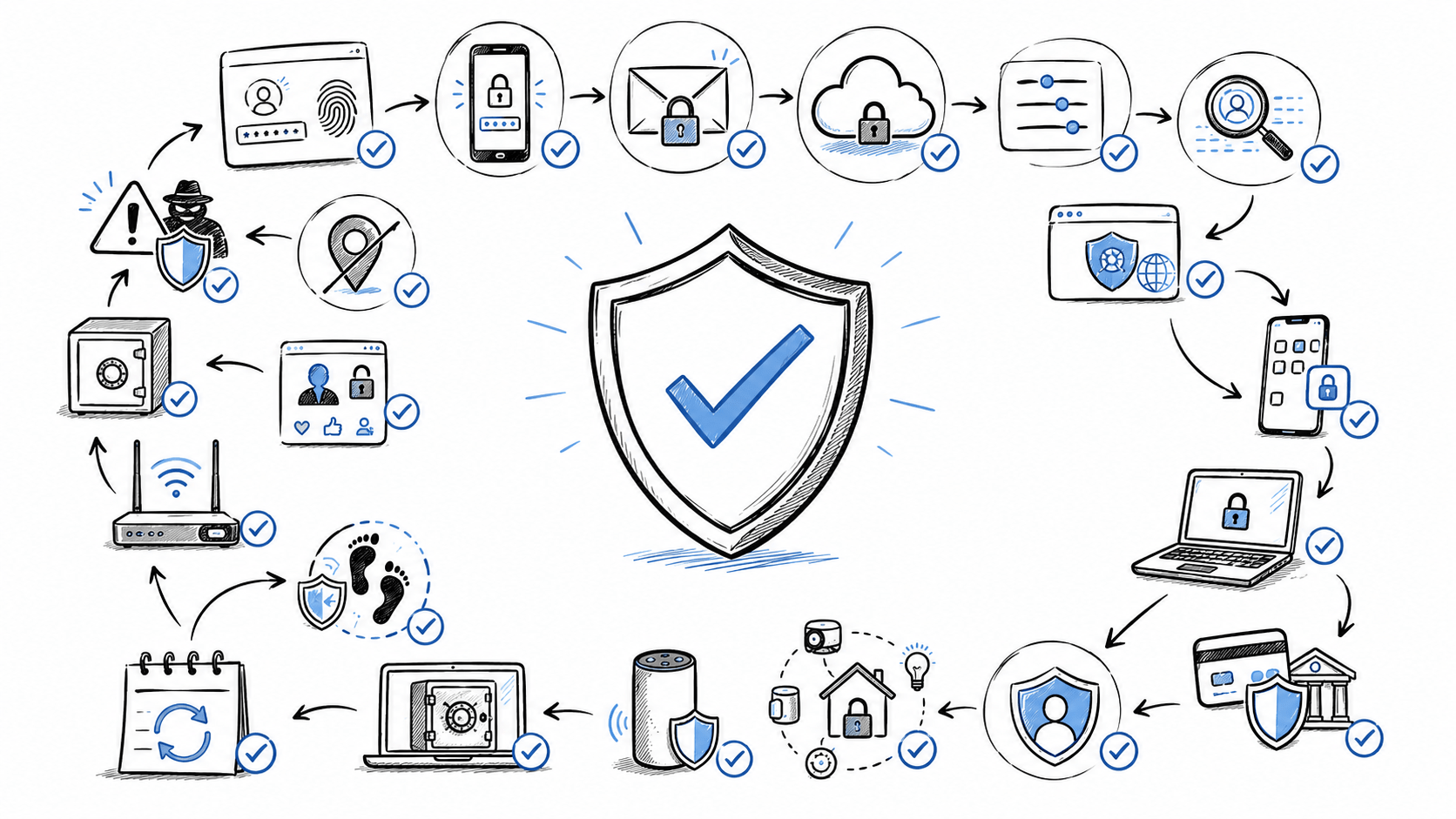
Use this comprehensive personal privacy checklist to strengthen your digital privacy and security throughout the year.
Why Personal Privacy Matters More Than Ever in 2026
Every day, companies, websites, apps, and connected devices collect information about how we live, work, shop, and communicate. At the same time, cybercriminals continue to exploit stolen credentials, leaked databases, and social engineering techniques to gain access to sensitive information.
Common privacy risks include:
- Large-scale data breaches exposing personal records
- AI-generated phishing and impersonation scams
- Identity theft and account takeover attacks
- Excessive app tracking and data sharing
- Public exposure of personal information through data brokers
- Smart devices collecting behavioral and location data
Taking control of your privacy starts with a regular review of your digital footprint.
1. Secure Your Online Accounts
Your online accounts are often the gateway to your most sensitive information. Strengthening account security should be your first priority.
✓ Use Passkeys Whenever Available
Passkeys are becoming the preferred alternative to passwords because they are resistant to phishing attacks and easier to manage.
Review whether passkeys are available for:
- Email accounts
- Cloud storage services
- Banking platforms
- Shopping accounts
- Password managers
✓ Enable Multi-Factor Authentication (MFA)
MFA adds an extra layer of protection by requiring a second verification step.
For the strongest protection:
- Use an authenticator app instead of SMS codes
- Enable MFA on all critical accounts
- Store backup recovery codes securely
✓ Review Active Devices
Most online services allow you to view devices currently logged into your account.
Remove:
- Old phones
- Previous computers
- Shared devices
- Unrecognized logins
2. Audit Your Personal Information Online
The less information publicly available about you, the lower your privacy risk.
✓ Search for Your Personal Information
Search for:
- Your full name
- Email address
- Phone number
- Home address
Take note of websites displaying personal information.
✓ Remove Outdated Profiles
Delete or update:
- Old social media accounts
- Abandoned forum profiles
- Obsolete professional listings
- Inactive online accounts
✓ Check Data Broker Websites
Many data brokers collect and sell personal information.
Look for:
- Contact details
- Family information
- Address history
- Public records
Submit removal requests where possible.
3. Review App Privacy Settings
Mobile apps often collect more information than users realize.
✓ Delete Unused Apps
Unused applications can continue collecting data in the background.
Regularly remove apps you no longer need.
✓ Audit App Permissions
Review which apps have access to:
- Location
- Camera
- Microphone
- Contacts
- Photos
- Bluetooth
Disable permissions that aren’t necessary.
✓ Limit Background Activity
Many apps continue transmitting information even when not actively used.
Disable unnecessary background access whenever possible.
4. Protect Your Devices
Strong device security helps prevent unauthorized access to personal data.
✓ Install Updates Promptly
Keep the following updated:
- Operating systems
- Web browsers
- Mobile apps
- Security software
- Home router firmware
✓ Enable Device Encryption
Encryption protects data if a device is lost or stolen.
Verify encryption is enabled on:
- Smartphones
- Laptops
- Tablets
- External storage devices
✓ Strengthen Device Locks
Use:
- Strong PINs
- Passwords
- Biometric authentication
Avoid predictable passcodes and simple patterns.
5. Reduce Online Tracking
Advertisers and websites increasingly track user behavior across multiple devices.
✓ Review Browser Privacy Settings
Consider enabling:
- Tracking protection
- Third-party cookie blocking
- Privacy-focused browsing modes
✓ Remove Unnecessary Site Permissions
Review websites that can access:
- Camera
- Microphone
- Notifications
- Location
Remove permissions you no longer use.
✓ Separate Activities with Different Profiles
Using separate browser profiles for work, shopping, and personal browsing can help limit cross-site tracking.
6. Conduct a Social Media Privacy Review
Social media accounts often reveal more personal information than users realize.
✓ Audit Profile Visibility
Review who can view:
- Posts
- Photos
- Friends or connections
- Personal information
✓ Remove Sensitive Information
Avoid publicly displaying:
- Home address
- Personal phone number
- Full date of birth
- Identification numbers
✓ Review Third-Party Integrations
Disconnect apps and services that no longer require access to your social media accounts.
7. Monitor Data Breaches
Data breaches remain one of the most common ways personal information becomes exposed.
✓ Check Whether Your Accounts Have Been Compromised
Review security notifications and breach alerts associated with important accounts.
✓ Replace Reused Passwords
If one account is compromised, any account using the same password may also be at risk.
Use unique credentials for every service.
✓ Monitor Account Activity
Watch for:
- Suspicious logins
- Password reset requests
- Unrecognized devices
- Unexpected account changes
8. Improve Financial Privacy
Financial accounts are a prime target for cybercriminals.
✓ Review Statements Monthly
Check:
- Bank transactions
- Credit card activity
- Digital wallet transactions
✓ Enable Security Alerts
Receive notifications for:
- New logins
- Purchases
- Transfers
- Password changes
✓ Remove Saved Payment Methods
Delete payment information from websites and apps you rarely use.
9. Secure Smart Devices and Connected Technology
Smart home devices can collect significant amounts of personal data.
✓ Review Privacy Settings
Audit settings on:
- Smart speakers
- Security cameras
- Smart TVs
- Fitness trackers
- Wearable devices
✓ Delete Stored Voice Recordings
Many smart assistants store voice interactions by default.
Review and remove recordings periodically.
✓ Disable Features You Don’t Use
Examples include:
- Continuous voice listening
- Location history
- Usage analytics
- Personalized advertising
10. Perform an AI Privacy Check
As AI tools become part of everyday life, users should understand how their information is processed and stored.
✓ Avoid Sharing Sensitive Information
Never provide:
- Financial account details
- Government-issued identification numbers
- Medical records
- Confidential workplace information
✓ Review AI Service Privacy Settings
Check whether:
- Conversation history is stored
- Data is used for training purposes
- Privacy controls are available
✓ Remove Unnecessary Chat History
Delete conversations that contain personal or sensitive information when appropriate.
Your Monthly 10-Minute Privacy Routine
Privacy protection works best when performed consistently.
Every month:
- ✓ Install software updates
- ✓ Review security alerts
- ✓ Check banking activity
- ✓ Delete unused apps
- ✓ Review account logins
- ✓ Audit app permissions
- ✓ Verify backup status
- ✓ Check privacy settings on major platforms
Annual Privacy Review Checklist
Once per year, conduct a comprehensive privacy audit.
Annual Tasks
- ✓ Review all major accounts
- ✓ Verify recovery information
- ✓ Remove inactive accounts
- ✓ Audit social media profiles
- ✓ Review connected devices
- ✓ Check data broker listings
- ✓ Update backup and recovery plans
- ✓ Reassess privacy settings across key services
Final Thoughts
Privacy protection is no longer a one-time task. As technology evolves, so do the methods used to collect, track, and exploit personal information.
By following this Personal Privacy Checklist for 2026, you can significantly reduce your exposure to privacy risks, strengthen your digital security, and maintain greater control over your personal data.
The most effective privacy strategy isn’t perfection—it’s consistency. Small actions taken regularly can make a substantial difference in protecting your identity, accounts, and personal information in an increasingly connected world.